


It’s the notification every Facebook advertiser dreads: “Your Ad Account Has Been Disabled.” Your campaigns grind to a halt, your momentum is gone, and you’re left scrambling for answers. Often, this happens for reasons that seem completely unfair, like logging in while traveling or managing an account for a client. What if the cause wasn’t your ad, but simply where you logged in from—and what if the fix was just as simple? Best way to find the proxies for automation.
In practice, Facebook’s security systems are incredibly sensitive to your digital location. Every device on the internet has an IP address; think of it as a unique mailing address that reveals your general location. When you run your Facebook ads from different cities or manage multiple client accounts from one IP address, these inconsistencies can trigger automated red flags that put your entire operation at risk.
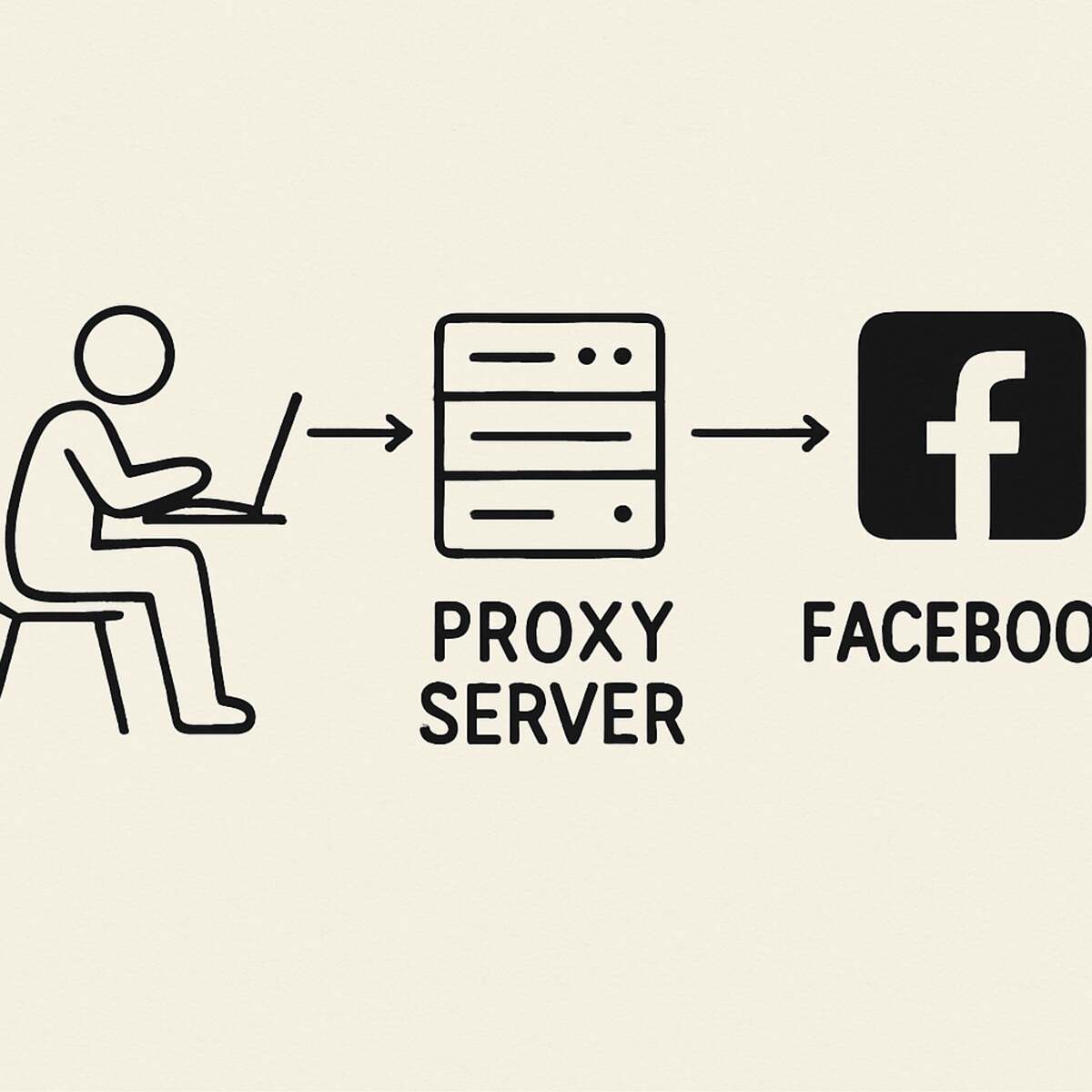
This is where a simple tool called a proxy comes into play. A proxy acts as a middleman, or a digital mail-forwarding service, for your internet connection. Instead of connecting directly to Facebook, you connect through the proxy first. To Facebook, it now looks like all your activity is coming from the proxy’s stable and consistent address, not your own fluctuating one.
Ultimately, using proxies for Facebook ads isn’t about being deceptive; it’s about creating a predictable environment that automated systems can trust. By taking control of your digital address, you can avoid a Facebook ad account ban caused by simple, everyday work. It’s the key to managing your campaigns with stability and much-needed peace of mind.
Facebook’s #1 Red Flag: What Your IP Address Reveals About You
To understand why Facebook can be so sensitive, you first need to know about its primary tracking signal: your IP address. Think of an IP address as your device’s unique mailing address on the internet. Every time you go online, this address tells websites your general physical location. It’s how Facebook knows whether you’re logging in from your office in Chicago or a hotel in Miami, and it forms the foundation of how they track account security.
For Facebook, consistency is trust. If you log in from your home on Monday and a coffee shop across town on Tuesday, that’s usually fine. But if your IP address suddenly jumps from Chicago to London in the same day, their automated systems might flag your account for suspicious activity—even if you’re just traveling. This digital instability is a major red flag that can lead to frustrating account locks and restrictions, interrupting your ad campaigns.
This IP-linking becomes even more critical when you manage multiple FB business manager accounts. By accessing accounts for three different clients from one computer, you’re telling Facebook they are all connected to the same digital address. This creates a dangerous domino effect. If one client’s account gets disabled, Facebook may automatically penalize the others just by association. So how do you keep these accounts safely separated and stable?
The Ultimate Middleman: How a Proxy Makes Your Facebook Ads Safer
To solve the problem of your real IP address creating dangerous links between accounts, you need a digital middleman. This is exactly what a proxy server does. Think of it like a secure mail-forwarding service for your internet connection. Instead of your computer connecting directly to Facebook, it connects to the proxy first. The proxy then sends your request to Facebook. To Facebook, all activity appears to come from the proxy’s address, not yours.
The real power of using proxies for marketing comes from assigning one unique proxy to each Facebook ad account. Every time you log in to manage a specific client, you use their dedicated proxy. This ensures Facebook sees the same, stable IP address for that account, day after day. This digital consistency builds trust with Facebook’s automated security systems, dramatically reducing the risk of random flags and frustrating account locks.
Because Facebook only sees the proxy’s location, your physical whereabouts become irrelevant. If you’re traveling in Miami but manage an account for a Chicago-based client, you can use a proxy server located in Chicago. To Facebook, every login simply appears to come from the client’s home city. This simple step eliminates the “impossible travel” red flags that so often cause accounts to be disabled, giving you the freedom to work from anywhere.
A proxy gives each ad account its own clean, stable digital identity, keeping them safely separated from one another. But a crucial question remains: are all proxies created equal? As you’ll see, the source of that middleman’s IP address is the single most important factor for staying safe on Facebook.
Residential vs. Datacenter Proxies: The Choice That Determines Your Success
The source of your proxy’s IP address is the most important detail. This single factor can mean the difference between a stable ad account and one that’s constantly flagged. To Facebook, it all comes down to a simple test of trust: does this connection look like it’s coming from a real person’s home, or from a commercial server farm? This is the core difference between the two main types of proxies you’ll encounter.
The distinction is critical for advertisers because platforms like Facebook are exceptionally good at identifying where an IP address comes from.
- Residential Proxy: This proxy uses an IP address assigned to a real home by an Internet Service Provider (like Comcast, Verizon, or AT&T). To Facebook, activity from a residential IP looks completely organic and trustworthy—just like a normal user logging in from their house.
- Datacenter Proxy: This proxy uses an IP address that belongs to a commercial server housed in a datacenter. These IPs are generated in bulk and are easily recognized as non-human. Using one is a massive red flag that often leads to a “Facebook proxy detected” error and immediate account restrictions.
When it comes to managing Facebook ad accounts, there is no debate. While datacenter proxies can be cheaper, the risk is far too high. Choosing a residential proxy is the non-negotiable standard for looking like a legitimate user and keeping your accounts safe. For advertisers who need the absolute highest level of trust for their most valuable accounts, there is an even more powerful option: the mobile proxy.
Why Mobile Proxies Are the ‘Gold Standard’ for High-Stakes Accounts
While residential proxies mimic a home internet connection, a 4G mobile proxy for Facebook takes authenticity to the highest level. It routes your connection through an IP address assigned by a real mobile carrier like T-Mobile or Verizon—the same network your phone uses. From Facebook’s perspective, you simply look like another one of the millions of users browsing on their smartphone. This makes your connection’s fingerprint virtually indistinguishable from a legitimate, everyday mobile user, granting it the highest possible level of trust.
The real power of mobile proxies for Facebook ads lies in how they behave. Mobile networks naturally assign and reassign IP addresses to users as they connect to different cell towers. This constant, organic rotation means you aren’t tied to a single, static IP address. If one IP were ever to attract unwanted attention, the proxy would simply be assigned a new, clean one from the carrier’s massive pool. This makes your online identity incredibly resilient and difficult for automated systems to track over time.
Because of this unparalleled security, mobile proxies are overkill for many but essential for some. They are the top-tier solution for protecting your most critical, high-spending ad accounts or for creating a new, stable identity after a previous ban—a core tactic in any serious Facebook stealth accounts guide. It’s the ultimate insurance policy for your advertising assets. But whether you need a residential or mobile proxy depends entirely on your specific situation.
4 Scenarios Where a Proxy for Facebook Ads is Non-Negotiable
A proxy isn’t necessary for everyone who boosts a post, but for certain business operations, it’s the crucial difference between scaling securely and risking it all. If you find yourself in any of the following situations, a proxy becomes an essential tool in your advertising arsenal.
Here are the four most common scenarios where using a proxy is not just a good idea—it’s a requirement for long-term stability:
- Managing Multiple Client Accounts. This is the cardinal rule for agencies and freelancers. To safely manage multiple FB business manager accounts, you must assign one dedicated proxy per client. This prevents Facebook from linking all your clients to a single IP address. If one account is ever flagged for a policy violation, the others remain completely isolated and secure.
- Creating and Protecting Backup Accounts. Smart advertisers don’t wait for a disaster; they prepare for it. A backup ad account is your insurance policy, and a proxy gives it a completely separate digital identity, ensuring it isn’t automatically linked and disabled along with your primary account if something goes wrong.
- Running Geo-Targeted Ads. Need to run ads for a UK-based business while you’re in the US? To use proxy for facebook ads geo targeting effectively, a proxy with a UK IP address makes your management activity appear local. This looks far more natural to Facebook’s systems than an account being constantly managed from overseas.
- Securing Your Account While Traveling. Frequent travel is a classic red flag. Logging into your account from an airport in Chicago one day and a hotel in Miami the next can easily trigger a security lock. By using a proxy set to your home or office location, your IP address remains stable, no matter where you are in the world.
In all these cases, the goal is isolation—giving each ad account its own clean and consistent digital environment. However, your IP address is only one part of your online identity that platforms see. To achieve true separation and protect high-value accounts, you also need to control your browser’s unique “fingerprint.”
Beyond the IP Address: What Is an Anti-Detect Browser?
While a proxy is excellent for changing your IP address, it only solves half of the puzzle. Facebook’s systems are incredibly sophisticated; they don’t just look at where you’re connecting from, but also who your browser says you are. This digital identity is called a “browser fingerprint,” and it’s a critical piece of information that can link all your accounts together, even if you’re using different proxies.
Think of your browser’s fingerprint like a collection of unique personal traits: your screen resolution, the fonts installed on your computer, your operating system, and even your browser plugins. While each piece of data is common, the specific combination is often unique enough to identify you. This is the essence of facebook ad account fingerprinting; it’s how the platform can tell that the same person is logging into multiple accounts from the same machine.
This is where an anti-detect browser for facebook ads comes in. Instead of just one browser with one fingerprint, an anti-detect browser lets you create multiple, completely separate browser profiles on a single computer. Each profile has its own unique, virtualized fingerprint, along with its own cookies, cache, and history. To Facebook, it looks like each account is being accessed from a completely different computer.
When you combine a dedicated proxy with a dedicated anti-detect browser profile for each ad account, you achieve true isolation. The proxy gives each account its own location, and the anti-detect browser gives it a unique identity. This two-part strategy is the foundation of any professional facebook stealth accounts guide and offers the highest level of security for managing valuable ad accounts.
How to Set Up a Proxy for Facebook: A Simple 3-Step Guide
The technical side of setting up a proxy might sound complex, but it almost always boils down to a simple copy-and-paste job. Once you have a proxy service, the process of using it is surprisingly straightforward, whether you’re working within an anti-detect browser or another tool.
The universal method for how to use a proxy involves three quick steps:
- Choose and Purchase Your Proxy: Select a provider that offers the type of proxy you need (like residential proxies, which we recommend for Facebook).
- Locate Your Proxy Credentials: After purchasing, your provider will give you a string of text in your user dashboard. It will look something like this: 192.168.1.1:8080:username:password.
- Enter Credentials into Your Software: Copy this information and paste it into the designated proxy fields in your anti-detect browser profile or other application.
That long string of text isn’t as scary as it looks. The first part (IP:Port) is simply the proxy server’s address, while the second (Username:Password) is your private login to access it. This simple setup is all you need for setting up a proxy for Facebook Business Manager or any other platform. Because the setup is so easy, the most important decision you’ll make is choosing a trustworthy provider from the start.
How to Choose a Proxy Provider and Avoid Scams
With dozens of proxy providers out there, telling the good from the bad can feel overwhelming. The key is to look for a partner who understands the high stakes of using proxies for marketing, not just a company selling anonymous connections. Since you are trusting them with your business’s reputation, quality and reliability are far more important than getting the lowest price. A great provider acts as an insurance policy for your ad accounts.
Unfortunately, the market has its share of traps. When you’re searching, be on the lookout for a few major red flags that often signal a low-quality or scammy service.
Red Flags to Avoid:
- “Unlimited” Residential Plans: Real residential IP addresses are a finite, expensive resource. A provider offering “unlimited” usage is likely using a mix of low-quality or datacenter IPs that will put your accounts at risk.
- Rock-Bottom Prices: If a price seems too good to be true, it is. These cheap services often sell overused, slow, and already-flagged IPs that will cause more problems than they solve.
- No Clear Customer Support: If you can’t easily find a live chat, email, or support desk before you buy, imagine how hard it will be to get help when something goes wrong.
Ultimately, the best residential proxy for Facebook automation and account management comes from providers who offer expert support. Look for companies that openly discuss use cases like social media and have a responsive support team. Good support is crucial for troubleshooting and ensuring your setup works flawlessly, giving you peace of mind. Investing in a quality service with reliable support is the final, critical step in building a secure advertising environment.
Your Blueprint for Safer, More Stable Facebook Advertising
Before, the dreaded “Ad Account Disabled” notification likely felt like a random, unavoidable disaster. Now you can see behind the curtain, recognizing that much of the risk comes from something you can control: your digital location. You’re no longer just hoping for the best; you’re equipped with the knowledge to build a stable, secure foundation for your ads.
Taking action is simpler than you think. Here’s your clear, three-step plan to begin securing your accounts today and avoid a future Facebook ad account ban.
- Assess Your Risk: First, ask yourself: Am I managing accounts for multiple clients, running a backup account, or logging in while traveling? Answering “yes” to any of these means you’ll benefit immediately from a proxy.
- Choose the Right Tool: Start small to build confidence. Purchase a single, high-quality residential proxy. Focus on protecting your most valuable account first.
- Implement and Isolate: From day one, assign your new proxy to its own dedicated browser profile. This simple step gives each ad account a clean, consistent, and trustworthy digital identity.
Ultimately, it’s time to shift your perspective. Proxies for Facebook ads aren’t a complicated secret for tech experts; they are a fundamental tool for professional social media marketing. By taking these steps, you’re not just adding a layer of security—you’re investing in the peace of mind and operational stability needed to scale your business without fear.
